 Buy
now
Buy
now
Global colors
There are 2 options to customize JoinLesson global colors:
- Customize global colors via Sass variables
- Replace global colors in CSS
Customize global colors via Sass variables
In case you want to create your own color scheme - the fastest and painless way to do that is via Sass variables.
Simply copy necessary variable from
JoinLesson/src/scss/helpers/_variables.scss file and
paste to JoinLesson/src/scss/_user-variables.scss, then
compile new theme.min.css file either using
Prepros or
Gulp. Check
Using Preprocessors
and
Working with Gulp
sections for instructions.
Blelow is the screenshot of the part of Sass variables file responsible for global colors:
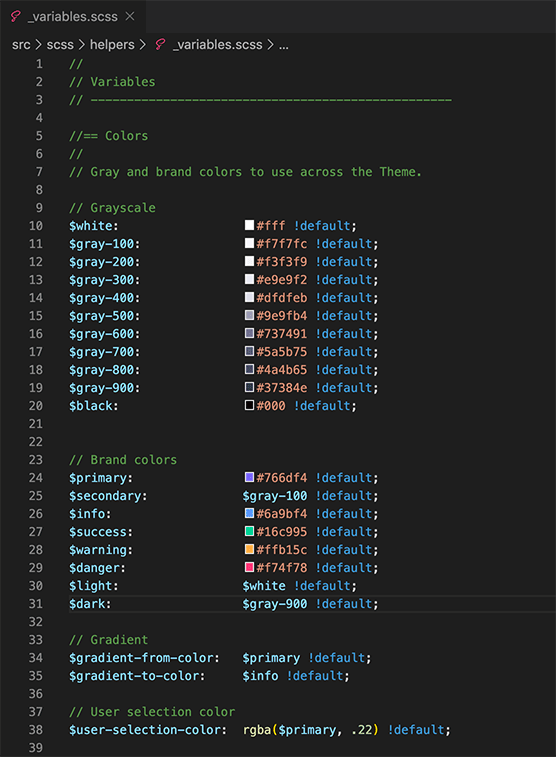
Replace global colors in CSS
This is the hardest way to do things done. I don't recommend it
but if you prefer vanilla CSS you can replace all color hex values
inside JoinLesson/dist/css/theme.min.css with your own
using "find and replace" panel of you code editor. Refer to the
image above as a guidance.